Skip to content
-
Subscribe to our newsletter & never miss our best posts. Subscribe Now!
Just Keep Distance Just Keep Distance

Stripping the Bloat. Isolating the Trackers

Just Keep Distance Just Keep Distance

Stripping the Bloat. Isolating the Trackers

  • Home
  • Avoid List
  • Contact
  • Privacy Policy
  • Sitemap
  • Home
  • Avoid List
  • Contact
  • Privacy Policy
  • Sitemap
Close

Search

Subscribe
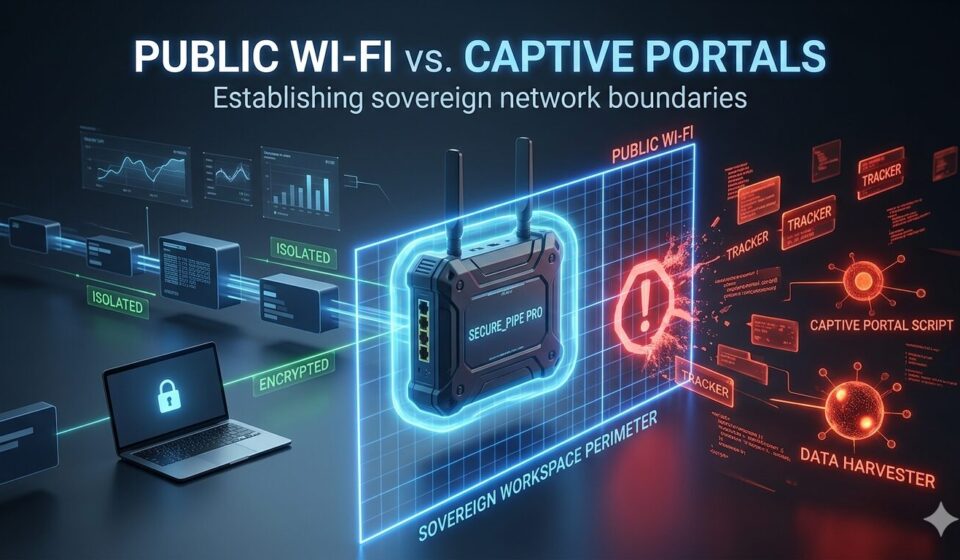
Alt Text A technical featured image diagram for a cybersecurity blog post titled "PUBLIC WI-FI vs. CAPTIVE PORTALS: Establishing sovereign network boundaries." In the center, a dark hardware router labeled "SECURE_PIPE PRO" projects a glowing neon blue laser grid labeled "SOVEREIGN WORKSPACE PERIMETER." To the left, a laptop with a lock icon is connected to clean, green-labeled data flows marked "ISOLATED" and "ENCRYPTED." To the right, red glowing elements representing a hostile "PUBLIC WI-FI" network—including malicious nodes labeled "TRACKER," "CAPTIVE PORTAL SCRIPT," and "DATA HARVESTER"—are stopped and blocked by the blue security perimeter.
Pipes

Public Wi-Fi vs. Captive Portals

By justkeepdistance
January 14, 2026 2 Min Read
Comments Off on Public Wi-Fi vs. Captive Portals

In the pursuit of digital minimalism and network sovereignty, one of the most significant points of vulnerability occurs during the initial “handshake” with public infrastructure. Whether at a transit hub or a local cafe, captive portals act as a gatekeeper, often demanding a MAC address, social media login, or email address before granting connectivity. This process is not merely a convenience; it is a privacy minefield designed to create a persistent digital trail of your movements across the physical world.

The Anatomy of a Captive Portal Trap

A captive portal operates by intercepting all HTTP traffic and redirecting it to a localized authentication page. During this redirection, the network logs your Media Access Control (MAC) address—a unique hardware identifier. In 2026, where data harvesting is ubiquitous, this identifier allows third-party data brokers to map your hardware to specific physical locations over time, effectively bridging the distance between your digital identity and your physical presence.

The Secure Handshake Strategy

To maintain “Distance” and protect your infrastructure, a strategic approach to connectivity is required. By utilizing hardened hardware and specific protocols, you can navigate these gates without exposing your primary workstations.

1. Hardware-Level MAC Randomization

The first line of defense is ensuring that your device does not present its true identity to the portal. Most modern operating systems, including minimalist environments like Peppermint OS, offer MAC randomization. Before initiating any connection, verify that your device or travel router is generating a temporary, randomized identifier. This ensures that even if the network logs the session, the data cannot be tied back to your permanent hardware.

2. The Router Buffer: Establishing a Perimeter

For the digital minimalist, connecting a laptop directly to public Wi-Fi is an unnecessary risk. Instead, utilize a “Portable Fortress” such as a travel router that can serve as the primary gateway. By connecting the router to the captive portal first, you create a buffer. The portal only sees the router’s temporary MAC address, while your phone, laptop, and other devices remain invisible, tucked safely behind the router’s internal firewall.

3. DNS Overriding and Tracker Neutralization

Many public networks attempt to force your traffic through their own DNS servers to track your browsing habits or inject scripts. Once the initial handshake is complete, it is critical to override these settings. Force your “Pipes” to use a private, encrypted DNS provider immediately. This effectively “kills” tracking scripts and prevents the local network from seeing which domains you are accessing.

Summary: Intentional Connectivity

By treating every public connection as a hostile environment, you ensure that your digital footprint remains minimal. Sovereignty is not about avoiding the world, but about choosing exactly how you interface with it.


Related Posts:

  • Macro photography of a weathered metal gear against a dark, shadowy background, representing the reliability and longevity of mechanical 'dumb' hardware
    The False Prophet of "Smart" Features: Why Dumb…
  • Minimalist photography of a single lit lightbulb suspended in a dark, empty space
    The Ecosystem Trap: Why Convenience is a Security…
  • low angle photography of black lighthouse
    The Distance Manifesto: A Master Guide to Digital…
  • Why SSL/TLS Certificates Are Crucial for Network Sovereignty
    Why SSL/TLS Certificates Are Crucial for Network Sovereignty
  • The Kill-Switch Audit
    The Kill-Switch Audit
  • The Minimalism of SSH
    The Minimalism of SSH
Author

justkeepdistance

Follow Me
Other Articles
A technical infographic blueprint detailing the process of hardening a web browser by disabling background telemetry pipes and speculative connections.
Previous

Firefox about:config Audit: How to Strip Telemetry and Browser Bloat

Next

The Librewolf Architecture: Zero-Telemetry by Default

  • Browser Hardening (25)
  • Pipes (22)
  • The Avoid List (26)
  • The Clean Slate (22)
  • The Vault Strategy (23)
  • Understanding Software Bloat and Telemetry in Modern Operating Systems
  • Browser Hardening: How to Strip Tracking and Bloat from Your Web Browser
  • The Active Directory Graveyard: How Corporate Defaults Turn Description Fields into Plaintext Password Vaults
  • The Mechanics of Encrypted Disk Containers: Protecting the Vault at Rest
  • Host Log Auditing: Neutralizing Persistent Web Tracking Trails
  • June 6, 2026 by justkeepdistance Understanding Software Bloat and Telemetry in Modern Operating Systems
  • June 5, 2026 by justkeepdistance Browser Hardening: How to Strip Tracking and Bloat from Your Web Browser
  • June 4, 2026 by justkeepdistance The Active Directory Graveyard: How Corporate Defaults Turn Description Fields into Plaintext Password Vaults
  • June 2, 2026 by justkeepdistance The Mechanics of Encrypted Disk Containers: Protecting the Vault at Rest
  • May 31, 2026 by justkeepdistance Host Log Auditing: Neutralizing Persistent Web Tracking Trails
  • Browser Hardening
  • Pipes
  • The Avoid List
  • The Clean Slate
  • The Vault Strategy
Copyright 2026 — Just Keep Distance. All rights reserved. Blogsy WordPress Theme